A Bill Payment App For Better Expense Tracking
A bill payment app can make recurring household expenses easier to manage by bringing multiple payments into one digital routine. Electricity, mobile recharge, broadband, gas, DTH and other bills often have different due dates, so keeping track of them individually can become difficult when the month is already filled with other financial responsibilities.
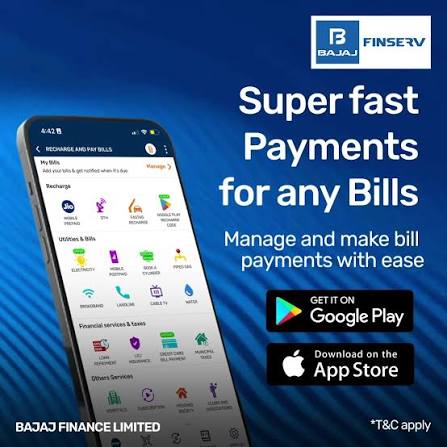
For users managing regular expenses alongside obligations such as Loans, a bill payment app can also support better visibility into where money is going. The benefit is not only convenience. When bills are viewed together, it becomes easier to identify due dates, track payment history and notice which recurring expenses are increasing over time.
The most useful approach is to treat the app as a financial organisation tool rather than only as a place to complete transactions.
Bring Recurring Bills Into One Monthly View
Household bills can be difficult to manage when each service sends reminders separately.
One provider may send an SMS, another may send an email and another may rely on an app notification. This can create a fragmented experience.
A bill payment app can help users maintain a more central view of recurring obligations.
When major bills are tracked together, it becomes easier to understand how much money needs to remain available during different parts of the month.
This visibility can improve cash-flow planning.
Create A Bill Calendar Around Due Dates
One useful habit is to organise bills according to when they become due.
For example:
- Electricity: first week
- Mobile: second week
- Broadband: middle of the month
- Gas: variable
- DTH: monthly recharge date
- Credit commitments: fixed repayment date
Once the pattern becomes clear, users can plan income and account balances accordingly.
The calendar does not need to be complicated. The goal is simply to know what is coming before the payment becomes urgent.
Separate Essential Bills From Optional Payments
Not every recurring expense has the same priority.
Electricity, gas and basic connectivity may be essential, while entertainment subscriptions or optional services may be more flexible.
Users can divide recurring payments into categories such as:
- Essential Bills
These are necessary for basic household functioning.
Financial Commitments
These include EMIs, insurance premiums and other contractual obligations.
Optional Recurring Expenses
These may include entertainment subscriptions, premium memberships or other discretionary services.
This classification becomes especially useful when the monthly budget is tight.
Track How Much Each Category Costs
A bill payment app can become more useful when users look beyond individual payments.
Instead of only asking whether the electricity bill was paid, ask how much utilities cost in total this month.
The same approach can be used for mobile, internet, subscriptions and other recurring categories.
This creates a clearer picture of fixed and semi-fixed expenses.
Over several months, the user may identify categories that are growing faster than expected.
That information can support better budgeting decisions.
Compare Bills Month By Month
One unusually high bill may be caused by seasonal usage or a one-time charge.
A repeated increase over several months may indicate a broader change.
By comparing payment history, users can spot patterns such as:
- Rising electricity usage
- Higher mobile charges
- New recurring subscriptions
- Increased broadband costs
- Duplicate services
This type of review can turn simple bill payment into expense analysis.
The objective is not necessarily to reduce every bill. It is to understand why costs are changing.
Set A Monthly Bill Budget
Once regular expenses are understood, users can estimate how much should be reserved each month.
Suppose typical household bills total around ₹12,000.
The user may decide to keep ₹13,000 or ₹14,000 available to account for normal fluctuations.
This creates a bill buffer.
The buffer can reduce stress when electricity or utility usage is slightly higher than usual.
A planned reserve is more reliable than trying to find extra money after the bill arrives.
Avoid Treating Account Balance As Available Spending Money
One common budgeting problem is assuming that the entire bank balance is available for discretionary spending.
Part of that money may already be needed for upcoming bills.
A bill payment app can help make those future obligations visible.
If ₹25,000 is in the account but ₹15,000 is already needed for bills and EMIs, only the remaining portion should be considered freely available.
This mental separation can improve spending discipline.
Review Bill Details Before Paying
Convenience can encourage users to complete transactions quickly.
Even when the biller is saved, the payment details should still be checked.
Verify:
- Biller name
- Consumer or account number
- Billing period
- Amount due
- Due date
- Any additional charges
If the amount looks unusually high, investigate before paying.
This can help identify incorrect bills, unexpected fees or unusual usage.
Saved Billers Should Be Reviewed Periodically
Saved biller information can become outdated.
A user may change a mobile number, move to a new home or cancel a broadband connection.
Old billers can remain visible long after the service is no longer active.
Periodic review helps keep the app organised and reduces the chance of accidental payments.
Removing outdated billers also makes the active payment list easier to understand.
Use Payment History As A Record
One of the practical benefits of digital bill payment is transaction history.
Users can often review when a bill was paid, how much was paid and whether the transaction was successful.
This can be useful when:
- A service provider does not update the payment
- A duplicate charge is suspected
- A household member asks whether a bill was already paid
- Monthly expenses are being reviewed
Payment history can reduce the need to depend on memory or scattered screenshots.
Keep Important Transaction References
Most successful digital payments generate a transaction reference.
These references should remain accessible until the biller confirms the payment.
If an issue occurs, the reference can help when contacting support.
Users do not necessarily need to save every receipt manually forever, but important payment details should be retrievable.
This becomes particularly useful when a payment is delayed in the biller’s system.
Handle Pending Payments Carefully
A pending bill payment requires patience.
The first reaction should not always be to make the same payment again.
The original transaction may still be processing.
Before retrying:
- Check whether the amount was debited.
- Review the payment status.
- Wait for the app or bank to update.
- Keep the transaction reference.
- Follow the official support process if required.
This approach can reduce the risk of duplicate payments.
Failed Payments Need A Separate Check
A failed transaction may occur with or without a debit.
If no money was deducted, the user may be able to try again after confirming the status.
If the amount was debited, the situation requires more care.
The transaction may later be reversed, depending on the outcome.
Users should avoid making assumptions and should rely on the official transaction status and support process.
Keeping records makes resolution easier.
Notifications Can Help, But Should Not Be The Only Reminder
Payment reminders are useful when several bills have different due dates.
However, notifications can be missed, disabled or delayed.
A better approach is to combine app reminders with a broader monthly routine.
For example, users can review upcoming bills once at the beginning of each week.
This reduces dependence on individual alerts.
The payment app then supports the routine rather than becoming the only system keeping it together.
Review Automatic Payments Regularly
Some bills or subscriptions may be connected to automatic payment instructions.
This can be convenient, but automatic payments should still be reviewed.
Users should check whether:
- The service is still being used
- The amount has changed
- The subscription is still necessary
- The linked account has sufficient balance
Automatic does not mean invisible.
Recurring debits should remain part of the monthly expense review.
Look For Forgotten Subscriptions
Small recurring payments can continue for months because they do not attract much attention.
Streaming services, premium memberships, software tools or other subscriptions may remain active even when they are rarely used.
Reviewing bill payment history can reveal these costs.
Cancelling unused subscriptions can free up monthly cash flow without requiring major lifestyle changes.
The key is to identify recurring payments that no longer provide enough value.
Use Categories To Understand Household Spending
If the app or personal budgeting method allows categorisation, users can group bills into areas such as:
- Utilities
- Communication
- Entertainment
- Insurance
- Financial commitments
- Household services
This makes spending patterns easier to understand.
For example, a user may discover that communication-related costs have grown because multiple family members now have separate plans.
Once the pattern is visible, the household can decide whether those expenses still make sense.
Review Bills Before Making Larger Financial Decisions
Recurring expenses affect how much money is available for other goals.
Before taking on another EMI, increasing investments or planning a large purchase, users should understand their regular monthly outflow.
A bill payment app can help provide this baseline.
If recurring expenses already use a significant portion of income, adding another fixed commitment may reduce financial flexibility.
This is why bill tracking and broader financial planning are closely connected.
Create A Month-End Bill Review
At the end of each month, spend a few minutes reviewing completed payments.
Look for:
- Missed bills
- Pending transactions
- Unusually high amounts
- Duplicate charges
- New recurring expenses
- Services that can be cancelled
This creates a clean starting point for the next month.
It also makes annual budgeting easier because the user already has a record of monthly patterns.
Use The Previous Month To Improve The Next One
Expense tracking is most valuable when it changes future behaviour.
If electricity costs increased significantly, the next month’s budget can include a larger utility reserve.
If several subscriptions were cancelled, the monthly bill budget can be reduced.
If a new insurance premium or EMI begins, the next cycle can be adjusted in advance.
The aim is to make each month slightly easier to predict.
Keep Financial Commitments Separate From Optional Spending
A bill payment app may display many types of transactions together.
Users should still distinguish between mandatory payments and discretionary ones.
An EMI should not be treated the same way as an entertainment subscription.
When cash flow becomes tight, priorities should remain clear.
Essential bills and contractual commitments generally need to be protected before optional spending.
This structure reduces the risk of missed obligations.
A Simple Monthly Bill Tracking Routine
A practical routine can look like this:
- Review upcoming bills at the start of the month.
- Reserve money for essential payments.
- Pay important bills a few days before the deadline.
- Check transaction status after payment.
- Review pending or failed transactions separately.
- Compare major bills with the previous month.
- Remove unused recurring services.
- Update the next month’s budget.
This routine requires little time but can improve overall financial organisation.
Expense Tracking Should Lead To Better Decisions
The purpose of tracking bills is not simply to collect data.
The information should support decisions.
Users can identify where spending is increasing, which expenses are essential and where there may be room to reduce unnecessary costs.
This can also help when planning savings or deciding whether the household can comfortably take on a new financial commitment.
A bill payment app becomes more valuable when transaction history is used as a planning tool.
Conclusion
A bill payment app can make recurring expenses easier to organise by helping users bring due dates, payments and transaction records into one routine. Its value goes beyond convenience when users review monthly patterns, compare bills and identify unnecessary recurring costs.
Better tracking can also improve cash-flow planning because users know how much money is already committed before making discretionary purchases or taking on new obligations. Pending payments, failed transactions and automatic debits should still be reviewed carefully rather than managed entirely on autopilot.
If a separate financial need later leads someone to consider an instant loan app, the borrowing decision should be evaluated independently. Interest, charges, tenure, eligibility and repayment capacity should all be considered rather than using credit simply to cover recurring bills.